Garmin Connect IQ App
Race pacing, nutrition alerts, and live tracking on your Garmin Edge
Download
Select your Garmin Edge model to download the correct app binary.
App Screens
Tap a screen to learn more about each view
Race Intelligence
Pair once with a 6-digit code. The app loads your full course plan — segments, targets, nutrition — in seconds. ANT+ power, HR, and cadence sensors connect automatically.
Live Map & Tracking
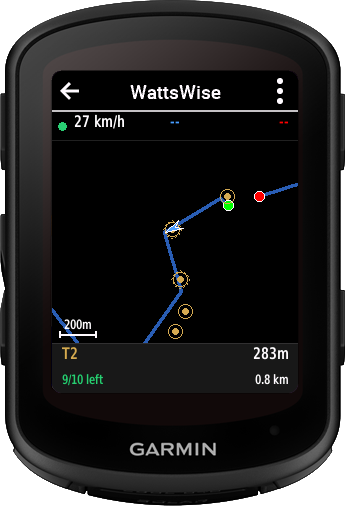
Route overlay with competitor dots, prize markers with activation radii, and auto-zoom to nearest unclaimed prize. Position synced every 4 seconds. Info bar shows segment and claim status.
Smart Nutrition
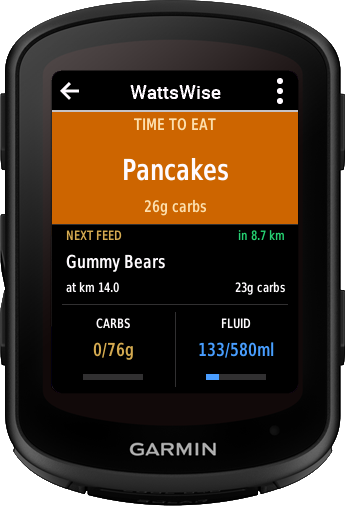
Distance-based feed alerts matched to your foods and terrain. Running carbs, fluid, and caffeine totals. Warning triangle on all screens when a feed is pending.
All Features
8 purpose-built views for race day and training
Per-segment power targets computed from your FTP and course gradient. Color-coded: green = on target, red = drifting.
Feed alerts with specific foods and timing. Tracks carbs, fluid, and caffeine consumed vs. plan. 20-minute fallback on slow climbs.
10-field data grid with NP, IF, TSS, W'bal, elapsed time, distance, speed, cadence, HR, and power. Updated at 1 Hz.
GPS course overlay showing your position, competitors, and prize markers with dashed activation radii. Auto-zoom to nearest unclaimed prize.
Real-time leaderboard with prize claim status and online rider count. See who's ahead and who's claimed what.
Elevation profile with segment breakdown, gradient percentages, and distance markers. Review the course before you start.
Works without a course loaded. Real-time speed, distance, heading, and GPS coordinates. GPS starts immediately on app launch.
Post-ride .FIT files sync back through Strava or direct Garmin upload. The loop closes automatically — no manual transfers.
Installation Guide
Sideload via USB in under 2 minutes
WattsWise.prg into the GARMIN/APPS/folder on your Edge device. If the folder doesn't exist, create it.Compatible Devices
Garmin Edge series with Connect IQ 4.0+
Requirements
What you need to get started